create api keys for Bitmart exchange sync integration
create api keys for Bitmart exchange sync integration
Replies
After you login to Bitmart account, navigate to Account in upper right hand menu
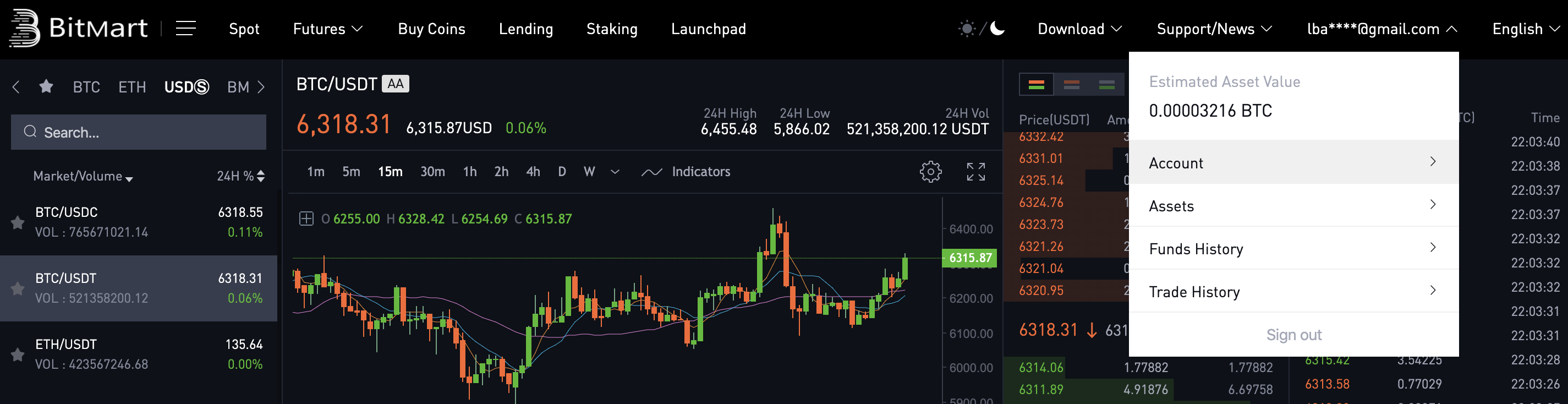
Navigate to API under Security Settings and select Set

Provide an API key name and click Add
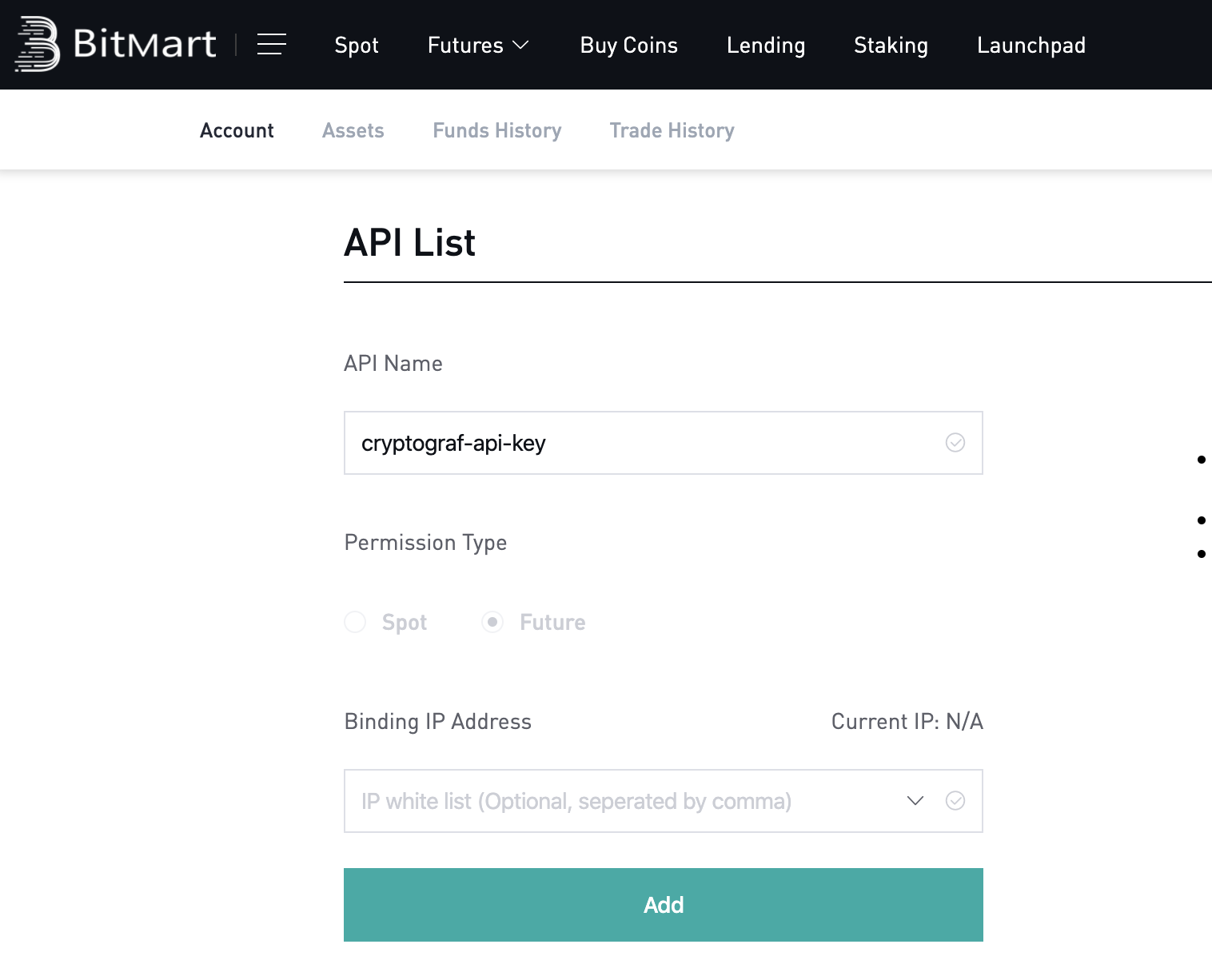
The name provided in API Name needs to be saved, it will go into the client_id field in the mobile app
You are now ready to link your Bitmart exchange to Cryptograf app and start tracking your cryptocurrency! (you will need to enter your API ID, Secret and CliendID that you have saved previously)