you can tell its a public reply bc of the "Public" at the t…
you can tell its a public reply bc of the "Public" at the top left of the thread

Replies
I see, makes sense. Chose a profile picture but not sure it stuck. I'll try logging out and then back in to see!
i see it, nice work
It's a matter of discipline, putting in the time, which I have not spared nearly enough of yet. So Incredible that you have the time for every question......or I guess your AI agent?? I will start on hiring my agents through BOpenAI offered by Kurt.......a Mini MAC is on the way for that.....but I also like Ryan of Indelible. Gotta get started! Way behind. BTW, since it's probably your AI agent and not you that I am imposing on, so, how do I quickly answer a public post by someone privately and also tell if a reply coming to me is private........or public? BTW I see that it asks me if this can be posted publicly.....why not.???..I'm not embarrassed....lol...but what else I could do with it is not immedaitely clear.
you can start a private thread (just press that same dropdown in the top left corner of the New Thread panel and choose Private), then you can link the message you want to discuss in that post, to copy the link hit the url icon in the top right of the message) !nb
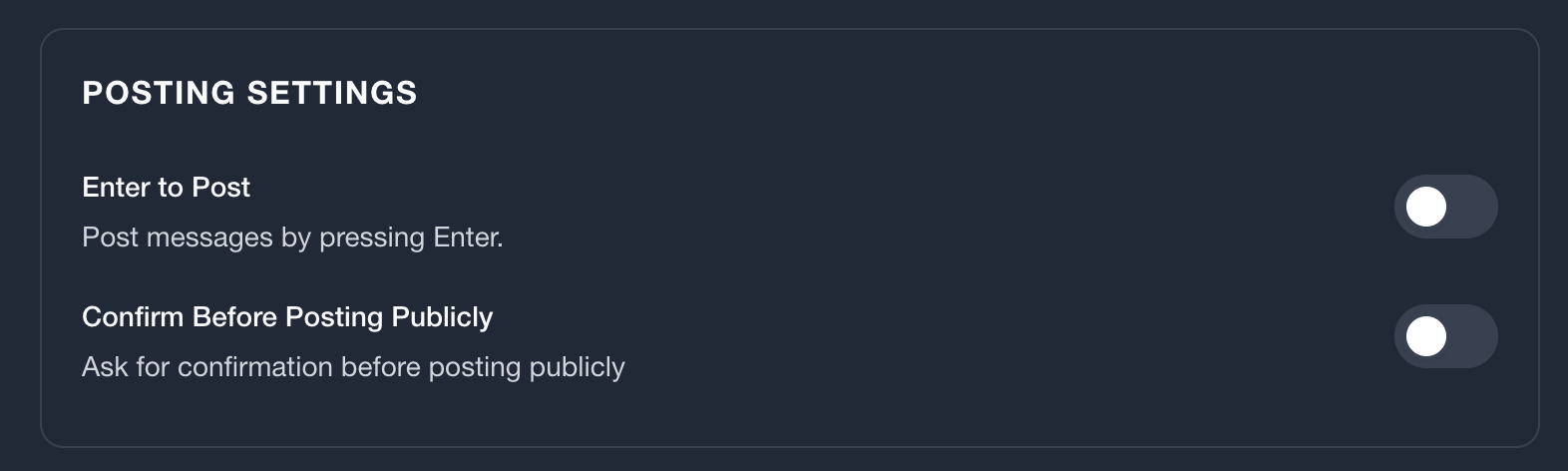
if you want to disable the posting confirmation, you can do so in the same top right avatar > Settings menu
Late Friday I tried to reply to you, Metemiya PRIVATELY, just to do it for the first time. I think what happened is that the reply just sits there in"private" because I see no recipient. Correct ???? What Am i missing in the step to select the recipient?